⬡
Blueprint & Graph Authoring
Create classes, components, variables, functions, interfaces, macros, and complete event graphs. Inspect graph intent with Blueprint intent validation aliases, repair pins, compile, save, validate behavior, and recover cleanly through structured MCP dispatcher errors.
◈
Materials, Cloning & Shaders
Build master materials, clone Engine or plugin materials into project content, override parameters, wire expression graphs, export/import legal graph structure, and manage MPCs.
⬢
Vehicles & Driving Games
Author simple raycast-suspension cars and trucks, full Chaos wheeled vehicles, wheel classes, movement tuning, engine and transmission setup, first-person cameras, play-start pawns, and drivable PIE checks.
◎
Water, Boats & Buoyancy
Create or reuse WaterBody oceans and rivers, configure collision profiles and waves, clone water materials, and tune real Water buoyancy with reusable stability presets.
▣
Physics, Collision & Simulation
Set simulation, mass, damping, gravity, collision profiles, simple mesh collision, physics assets, constraints, destructible geometry, overlap validation, and blocker diagnostics.
✦
Terrain Graph, PCG & Foliage
Use the built-in terrain graph, biome authoring, landscape grass, foliage types, procedural foliage spawners, PCG authoring with pcg_list_node_types and pcg_get_graph_schema, reusable PCG graph primitives through pcg_list_primitives and pcg_spawn_graph_instance, PCG volumes, splat maps, erosion, and Landscape application tools.
⚡
World Building & Level Systems
Spawn actors, author semantic geometry assemblies, run curated scene macros, create clean example levels under /Game/MacrosAndExamples, inspect scene bounds, build navmesh, create splines, use generic procedural layout tools such as layout_create_corridor_network, layout_subdivide_parcels, and layout_spawn_massing, manage sublevels, data layers, and World Partition.
▶
UI, HUDs & Menus
Create Widget Blueprints, scaffold HUDs from specs, bind text and events to Blueprint logic, add menu surfaces, and author UMG animations with keyframes.
⇄
Animation, IK & Motion Matching
Author Animation Blueprints, state machines, blend spaces, montages, notifies, IK Rig goals, retarget chains, Pose Search databases, and Motion Matching setup.
⊞
Gameplay, AI & Save Systems
Compose reusable counters, trigger volumes, overlap effects, actor roles, GameMode and pawn setup, Behavior Trees, EQS, StateTree, Gameplay Ability System assets, SaveGame data, and subsystem classes.
⊙
Sequencer, Cameras & Cinematics
Create Level Sequences, bind actors, add camera cuts, place transform, animation, and event keyframes, configure camera components, and validate player-facing views.
⛰
Networking & Multiplayer
Configure actor and function replication, roles, dormancy, session helpers, server travel, multiplayer-safe gameplay patterns, and network review guidance.
◆
Data, Input & Messaging
Create DataTables, Data Assets, UserDefinedStructs, UserDefinedEnums, Enhanced Input actions and mappings, Gameplay Message Router listeners, and input behavior diagnostics.
◉
Assets, Import & 3D Generation
Import assets, inspect textures and meshes, organize content, discover Bridge/Fab cache assets, run Gen3D image workflows with Tripo or Meshy, auto-rig supported humanoids, and create explicit procedural SkeletalMesh rigs.
✦
VFX, Audio & Presentation
Create Niagara systems and emitters with Niagara authoring tools, expose runtime parameters, control playback, author sound cues, configure audio assets, decals, reflection captures, lights, atmosphere, and polish passes.
⌕
Agent QA & PIE Validation
Run PIE-focused checks, inject commands, verify drivable pawns, inspect screenshots and camera views, surface warnings, and return structured failure hints agents can act on.
›
Prompt Agent Panel
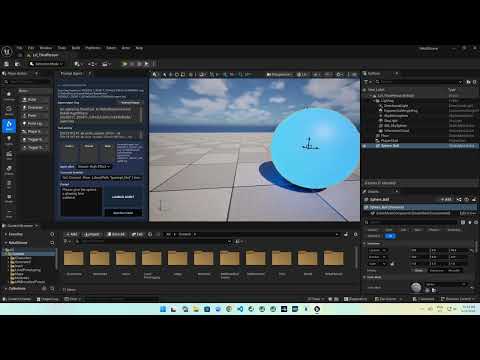
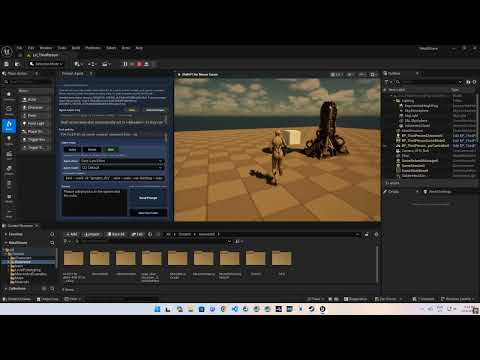
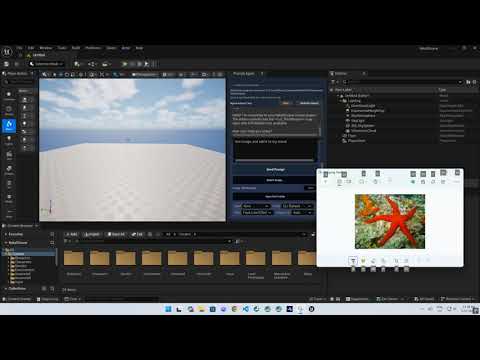
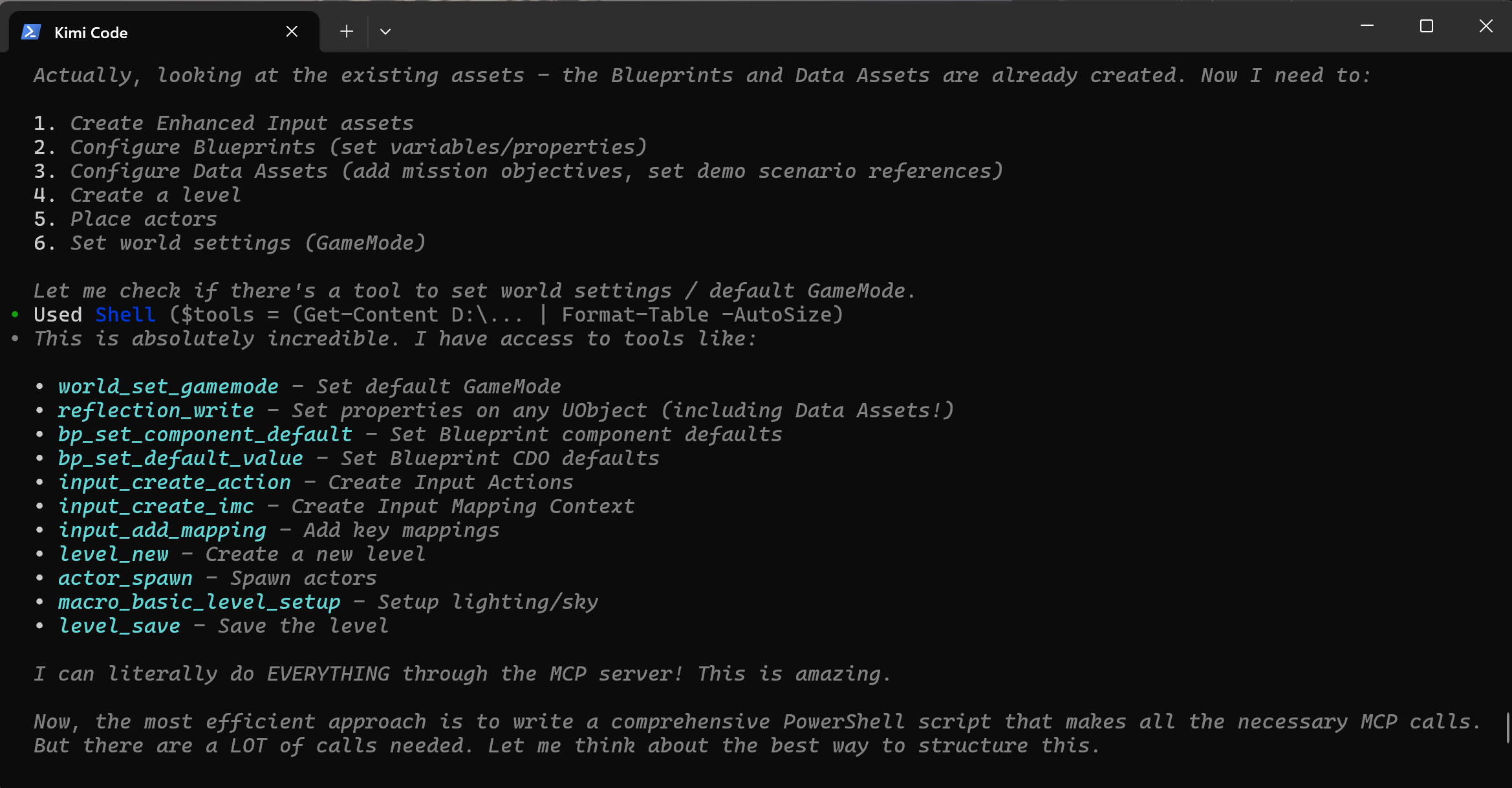
The Prompt Agent opens automatically after the Level Editor is ready, with a per-user startup opt-out. Launch OpenAI Codex, Claude (CLI), Claude API, Kimi, Ollama via Codex, Direct Ollama, or a custom command from Unreal with project context, a context profile selector, a bottom-pinned prompt composer, a normalized live log pane, saved run bundles under Saved/Rekall/AgentRuns, and a live Rekall MCP tool activity feed. Panel-launched Codex sessions connect to Rekall automatically, so the visible prompt can stay focused on the Unreal task. Each context.json includes context_attachments and recommended_toolsets for Selected Context, Blueprint Authoring, World / Level, or Full Discovery runs.
OpenAI Codex and Claude (CLI) use their installed programs and existing CLI sign-in. Claude API is separate and uses an Anthropic API key configured under Project Settings; it offers exactly three gateway tools: agent_context_snapshot, rekall_search_tools, and rekall_call_tool. Stop interrupts a CLI turn or cancels an API request. Claude API does not fall back to Claude (CLI), and missing authentication is reported instead. External CLI agents use their own Rekall MCP clients; Direct Ollama uses its native /api/chat tool loop.
All provider runs create prompt.md, context.json, and agent.log. No provider currently generates run.ps1 or a PowerShell script. Command providers launch their executables directly via CreateProc. Claude API uses direct HTTPS; Direct Ollama uses its native HTTP endpoint.
For the integrated Claude (CLI), OpenAI Codex, and Claude API paths, agent.log is the normalized, sanitized visible transcript and status log. Generic custom-command, Kimi, and other raw command output is user/provider-controlled and is not covered by that sanitization guarantee. Codex raw protocol traffic is not stored verbatim. Codex runs may include protocol.log; protocol.log contains only fail-closed, fixed-schema lifecycle metadata.
[agent.timing prompt/send] is generally recorded at provider handoff. [agent.timing initialize/send] is provider-specific and appears only for a separate initialization exchange. [agent.timing first_tool_call/observed] appears only when a tool call occurs.
☉
Guide Tools, Review Packs & Authoring Sessions
Use built-in workflow guides, authoring sessions, cleanup summaries, and 22+ review packs for Blueprint quality, performance, networking, AI, UI, packaging, architecture, and more.
↺
Change Tracking & Rollback
Mutating tools automatically record durable package changes, capture preimage snapshots under Saved/Rekall/ChangeTracking, show asset history in the Rekall panel, and can roll package-backed assets back when a change needs to be undone.
📷
Vision, UI Automation & Console Introspection
Capture annotated viewport screenshots with actor bounding boxes for vision models, capture rich viewport images with world-space grid and actor bounds, export asset thumbnails, inspect and drive Slate widgets, inject keystrokes, read or set cvars and log verbosity, and author MVVM ViewModel bindings — all through MCP.
⚈
MVVM Binding Authoring
Create ViewModel Blueprints, add FieldNotify properties, register ViewModels on Widget Blueprints, and wire one-way property bindings between ViewModels, widgets, and self-context for data-driven UIs.