Rekall
Photo Studio
A home for your photographs, from the first browse to the finished edit. Organise your library, explore a look and keep your originals intact.
More photographs. Less waiting.
Browse folders and collections, mark picks, rate photographs and compare a selection. Studio keeps preparing the rest of your library while you work, not just the rows you have scrolled into view.
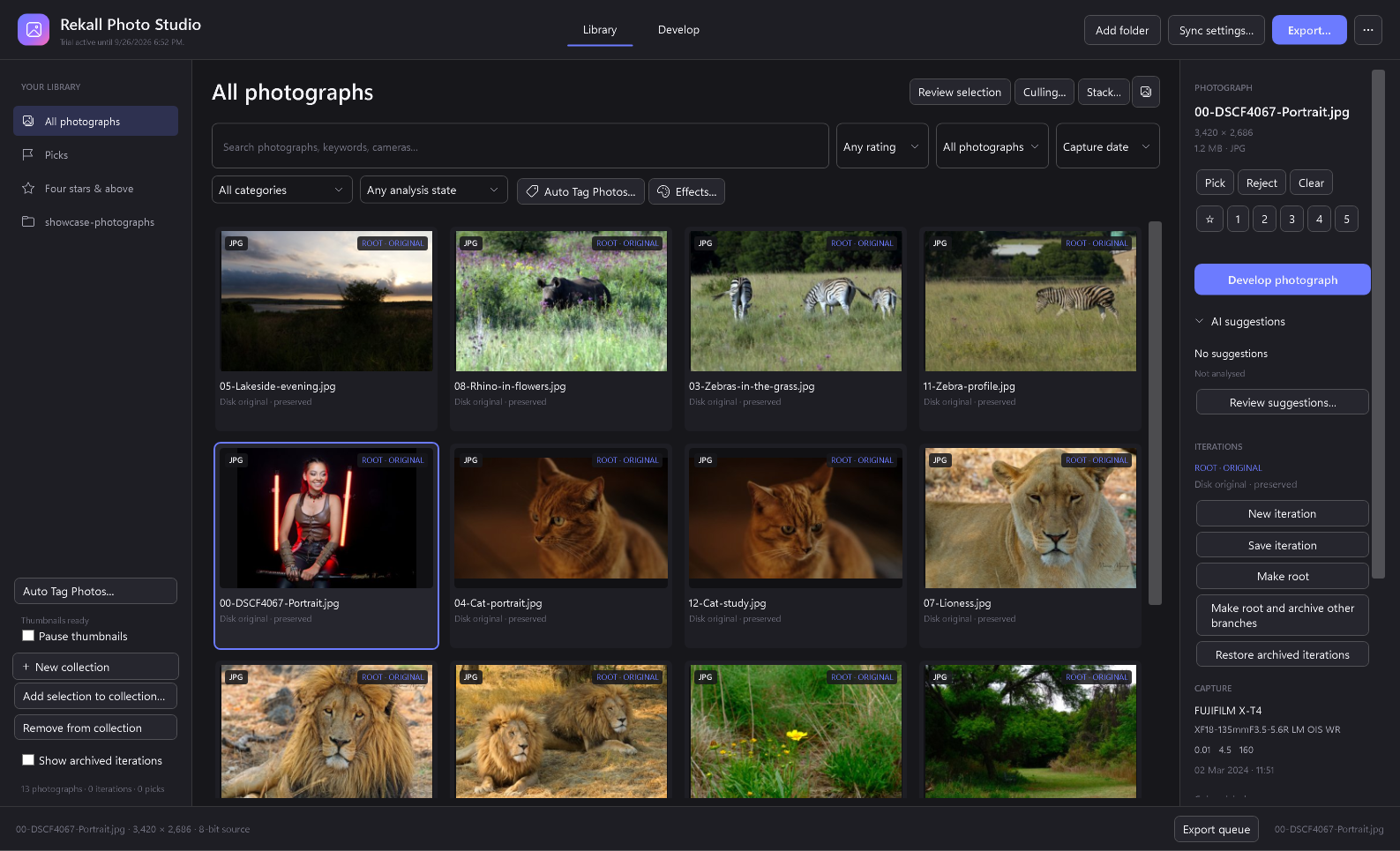
Background thumbnails
Visible photographs take priority. Missing original and edited thumbnails are generated one at a time in the background and cached on disk. Pause and resume from the library sidebar.
How the background queue worksFind the photograph again
Search filenames, folders, camera details, manual keywords and AI suggestions. Descriptive words support typo-tolerant matching and a small set of synonyms; category and analysis-state filters narrow the results.
Search and filter your libraryKeep the source. Explore the possibilities.
Develop RAW and standard image files with light, colour, curves, detail and local adjustments. Crop, straighten, retouch and save different iterations without replacing the original photograph.
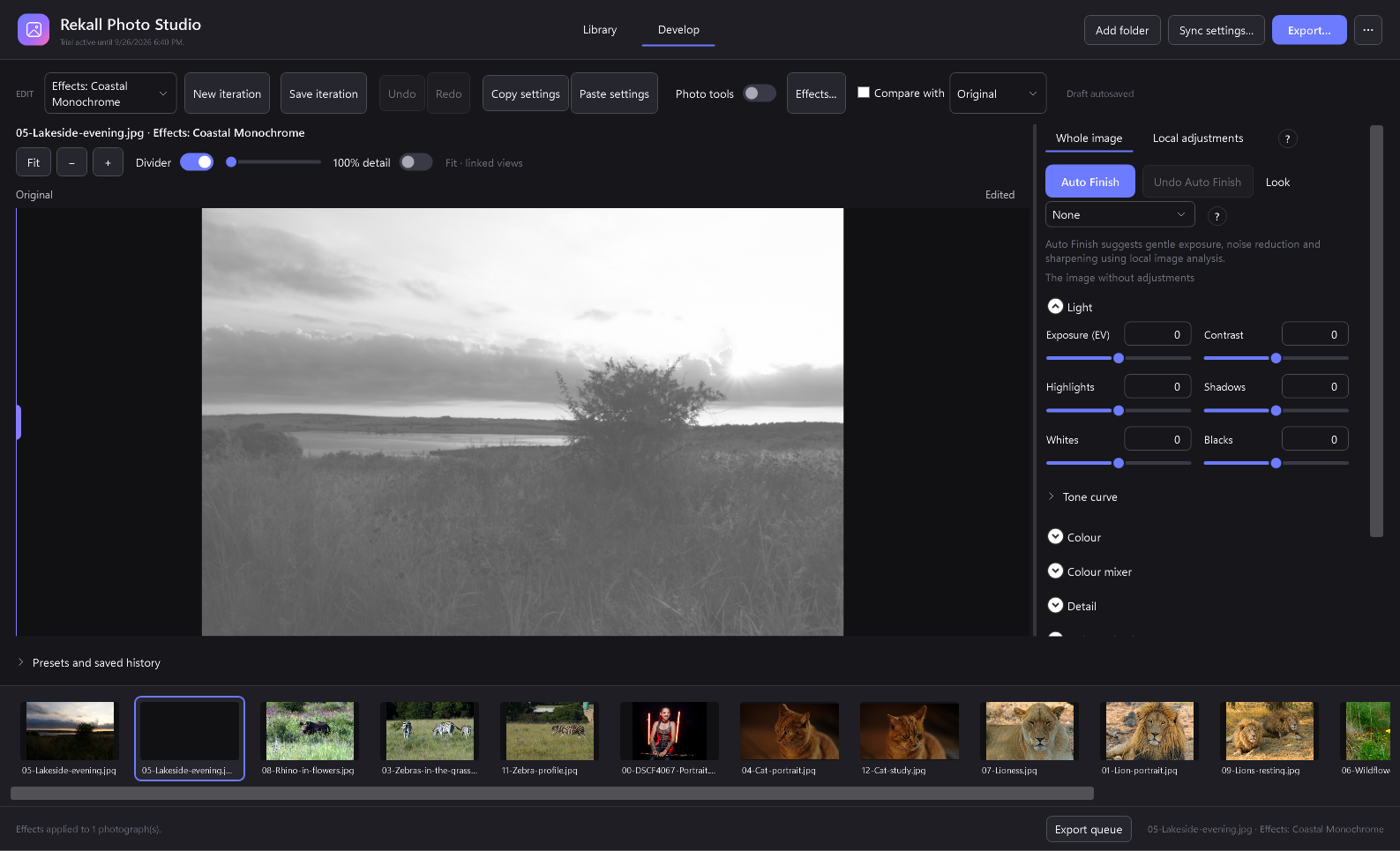
Adjust with intent
Use local masks, a histogram and clipping overlays. Clone, heal and remove small distractions. Optional model-based selection and removal need their compatible local models.
Keep useful versions
Saved iterations preserve earlier work. Synchronise selected settings across photographs and export through a queue, with original files kept separate from outputs.
Coastal Monochrome, made editable.
Give portraits and landscapes an adaptive high-key monochrome treatment. Tune strength and grain, compare before applying, and save your settings as a reusable processing preset.
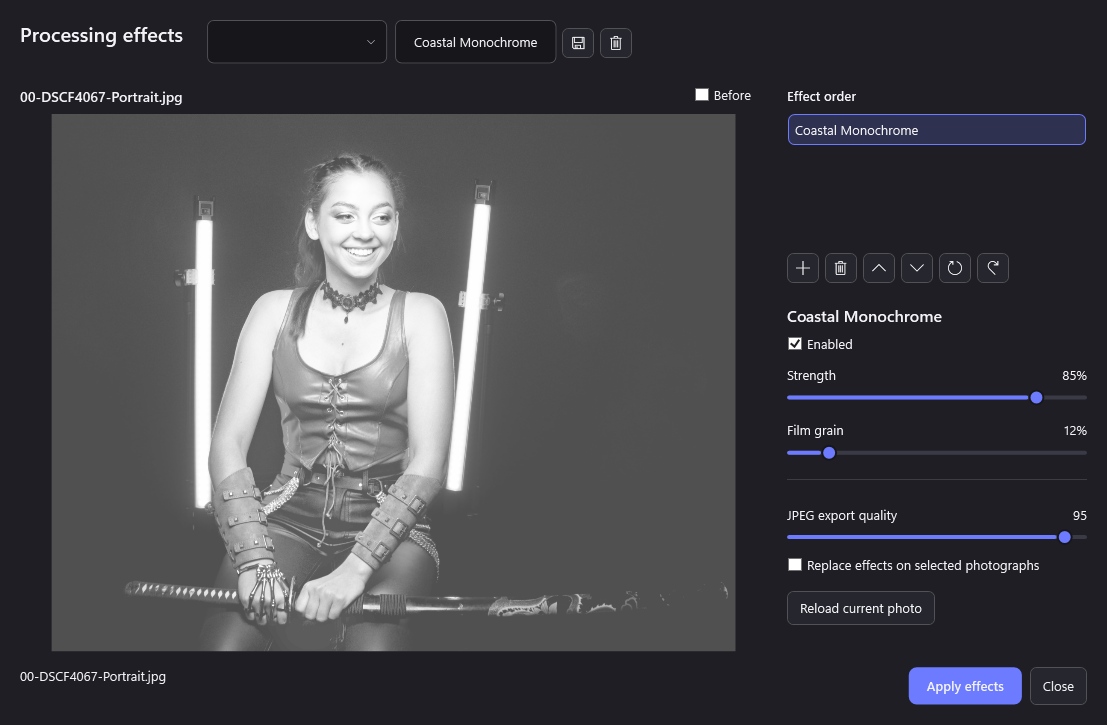
A look across a selection
Apply an effects preset to selected photographs while preserving their other edits. Ordered operations, enabled states and undo let you refine the treatment later.
Create and apply a preset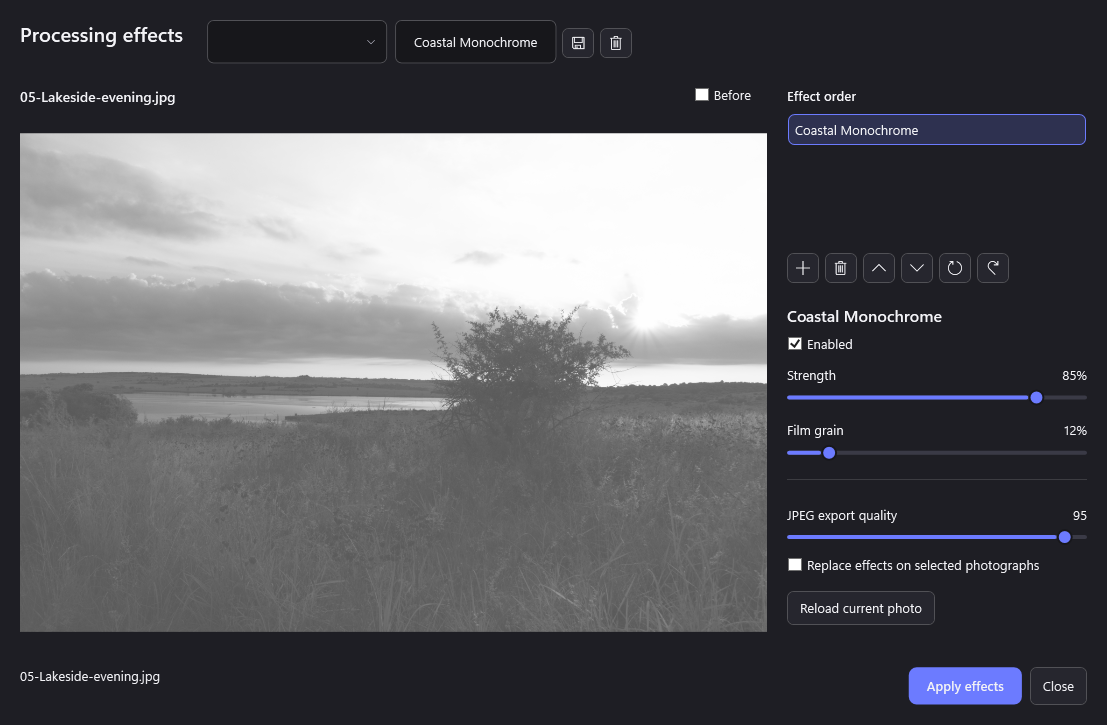
Auto Tag Photos. Then make the tags yours.
Generate categories, tags and short captions from small previews. Review and correct the suggestions in Studio, then search them alongside your own keywords and notes.
Choose where analysis runs
- Local Ollama: use an installed local vision model.
- OpenAI API: bring your own API key; provider usage is separate.
- ChatGPT sign-in: connect through a compatible, separately installed Codex CLI. Account access and usage limits apply.
Cloud analysis requires explicit consent. Imports and background thumbnails do not automatically send photographs to an AI provider.
Start your first tagging run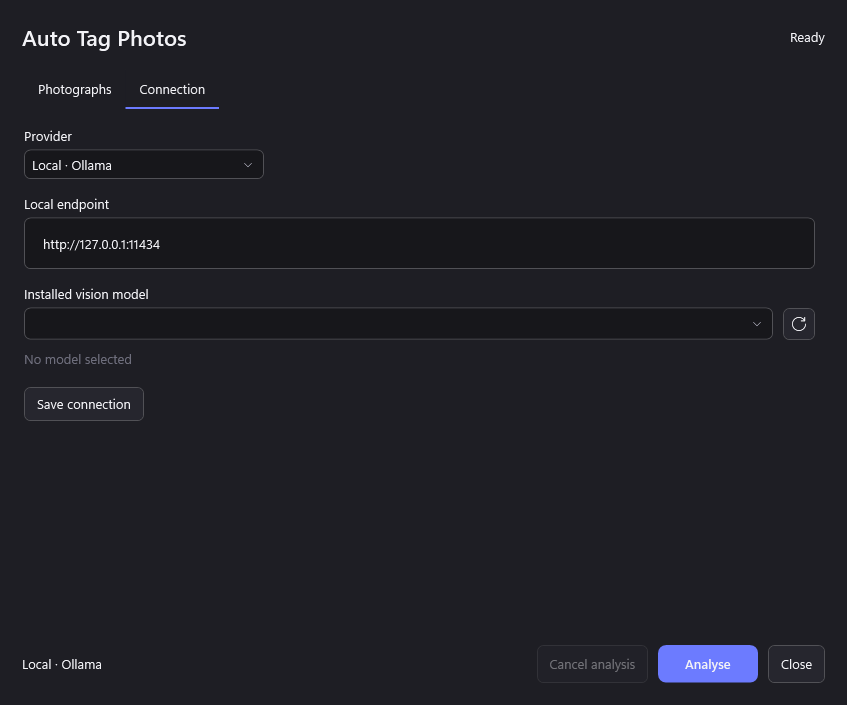
AI results are suggestions, not verified descriptions. The ChatGPT connection is an early integration: live account sign-in and cloud inference have not yet completed release verification.
Organise in Studio. Stack in Rekall Fusion.
Find likely focus-bracket sets, review the grouping and send selected originals to Rekall Fusion. Detection suggests candidates; it does not guarantee that a group is a usable stack.
Fusion is a separate application and licence. When it is not installed, Studio offers its store page. You can also locate an existing Fusion installation.
One functional edition.
Photo Studio is designed around the same feature set for every payment option. Monthly, Yearly and Lifetime change the billing arrangement, not the editing tools available to you.
Paid checkout is not yet open. The app includes a 14-day full-feature trial; AI services and the separate Fusion app are not included in a Studio licence. Prices will be listed when checkout is available.
Version 0.7.3 · Windows x64 · 125.3 MiB · Self-contained installer. This build is unsigned; Windows may display a publisher warning.