Standalone Windows App · Photography
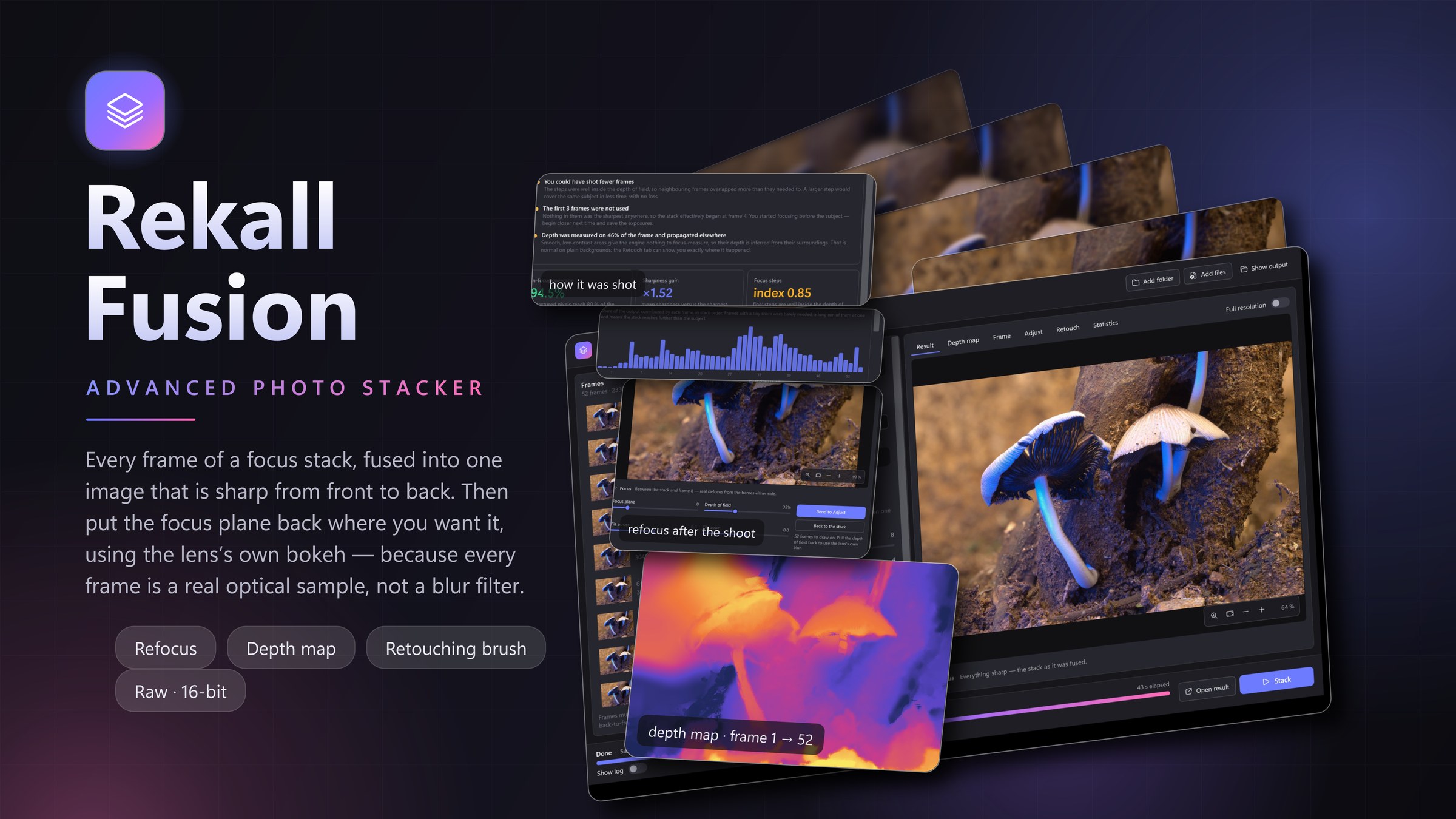
Rekall Fusion takes the frames of a focus stack — shot on a rail, with focus bracketing, or hand-held — aligns them to sub-pixel precision and fuses them into a single image that is sharp from front to back. From camera raw to 16-bit output, with a depth map that shows you where it measured, and a brush for everywhere it did not.
Fourteen days, full Pro build. No card, no account, nothing to cancel.
What stacking gives you
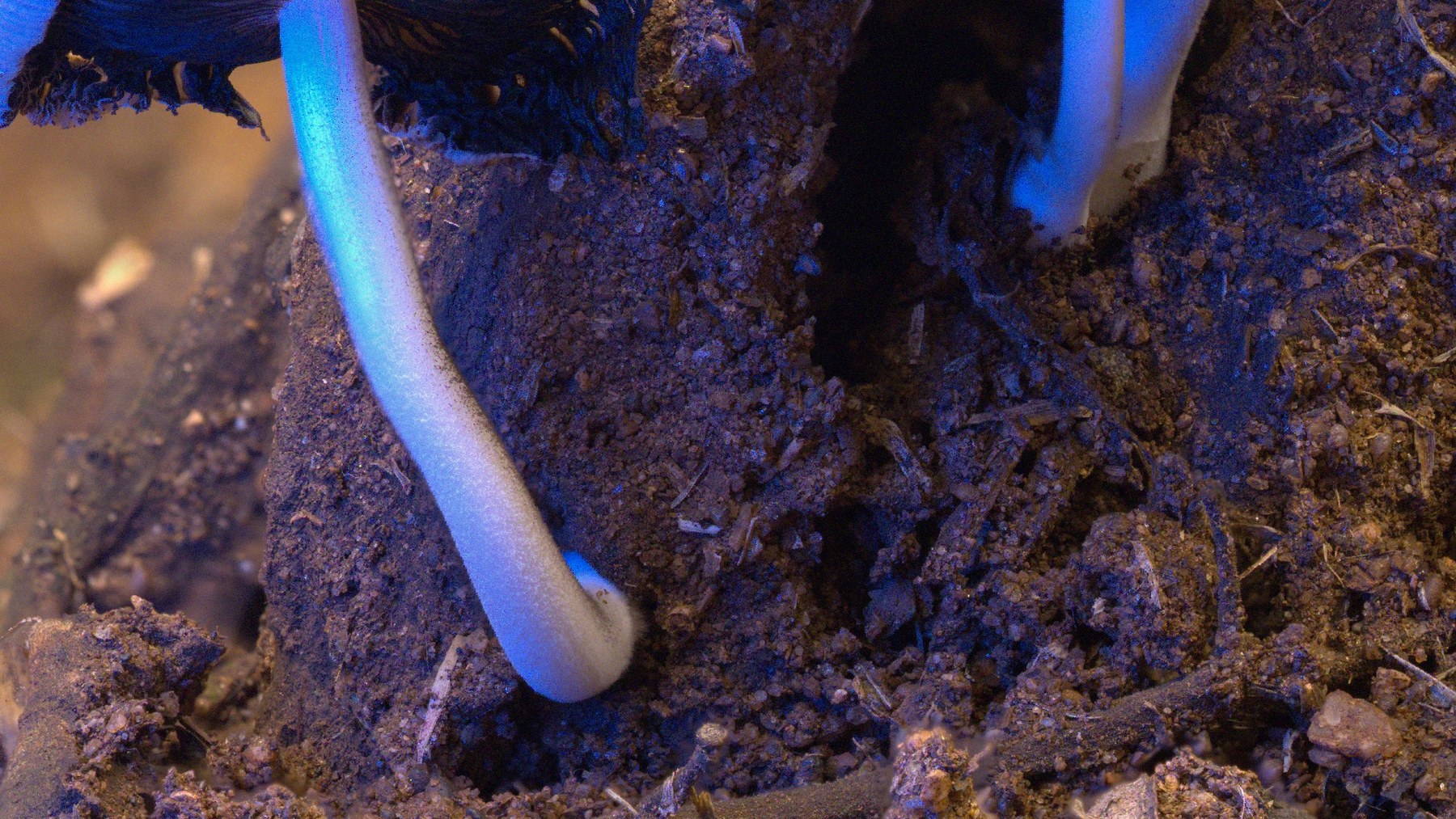
A 100 % crop from the centre of a 24-frame stack. Left: one raw frame, focused a few millimetres away. Right: the same area after Rekall Fusion picked the sharpest source for every pixel and blended the transitions away.
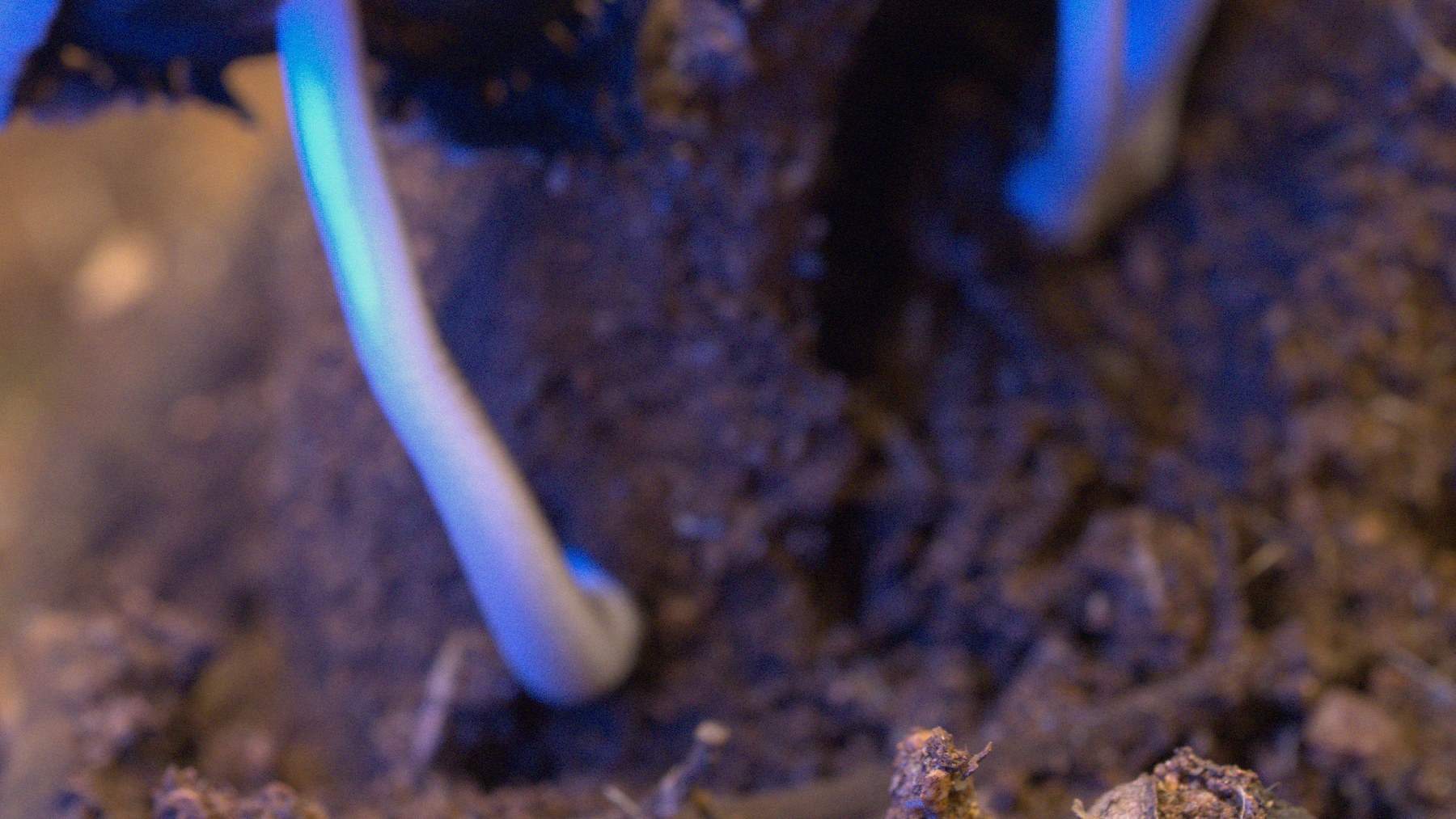
 Single frame
Rekall Fusion
Single frame
Rekall Fusion
Built for photographers
Drop a folder, pick a method, press Stack. Or open the advanced panel and tune every parameter of the engine, each one explained where you use it.
Every pair of neighbouring frames is registered with feature matching, refined with correlation maximisation, and exposure-matched. Shift, rotation and focus breathing are handled, so hand-held stacks work.
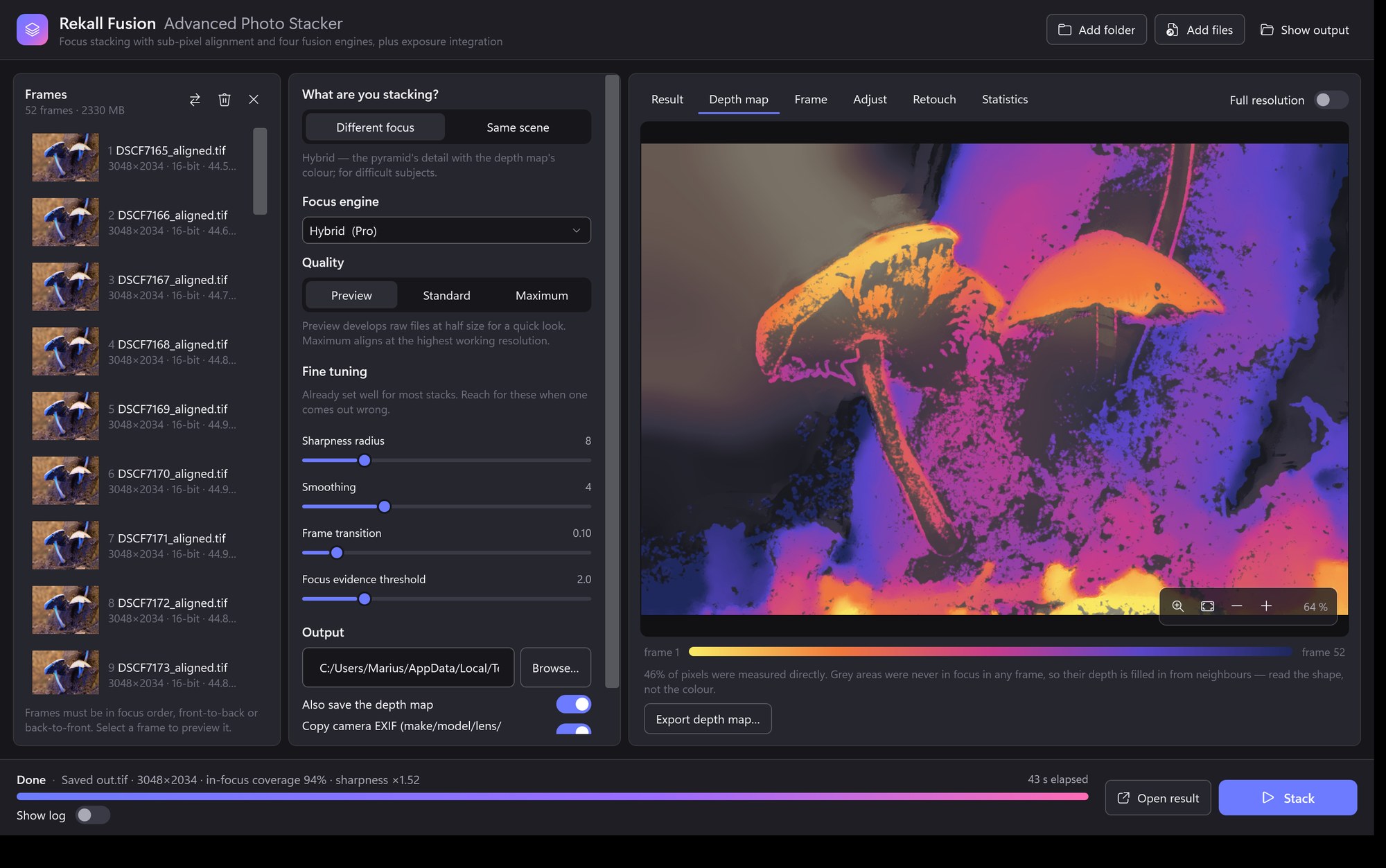
The depth engine tracks the focus profile of every pixel through the sequence and fits its peak to a fraction of a frame. The map is shown in colour and saves as a 16-bit image.
Two hundred frames become thirty intermediates, then one image. Deep stacks come out cleaner, and retouching reaches back to a handful of slabs instead of hundreds of source frames.
Save the mask of where each frame ended up in the result and load them as layer masks. Non-destructive retouching in your editor, with the geometry already matched.
Focus stacking needs a monotonic sequence. Rekall Fusion measures each frame's magnification during alignment, tells you if the order is wrong, and can re-sort the stack for you.
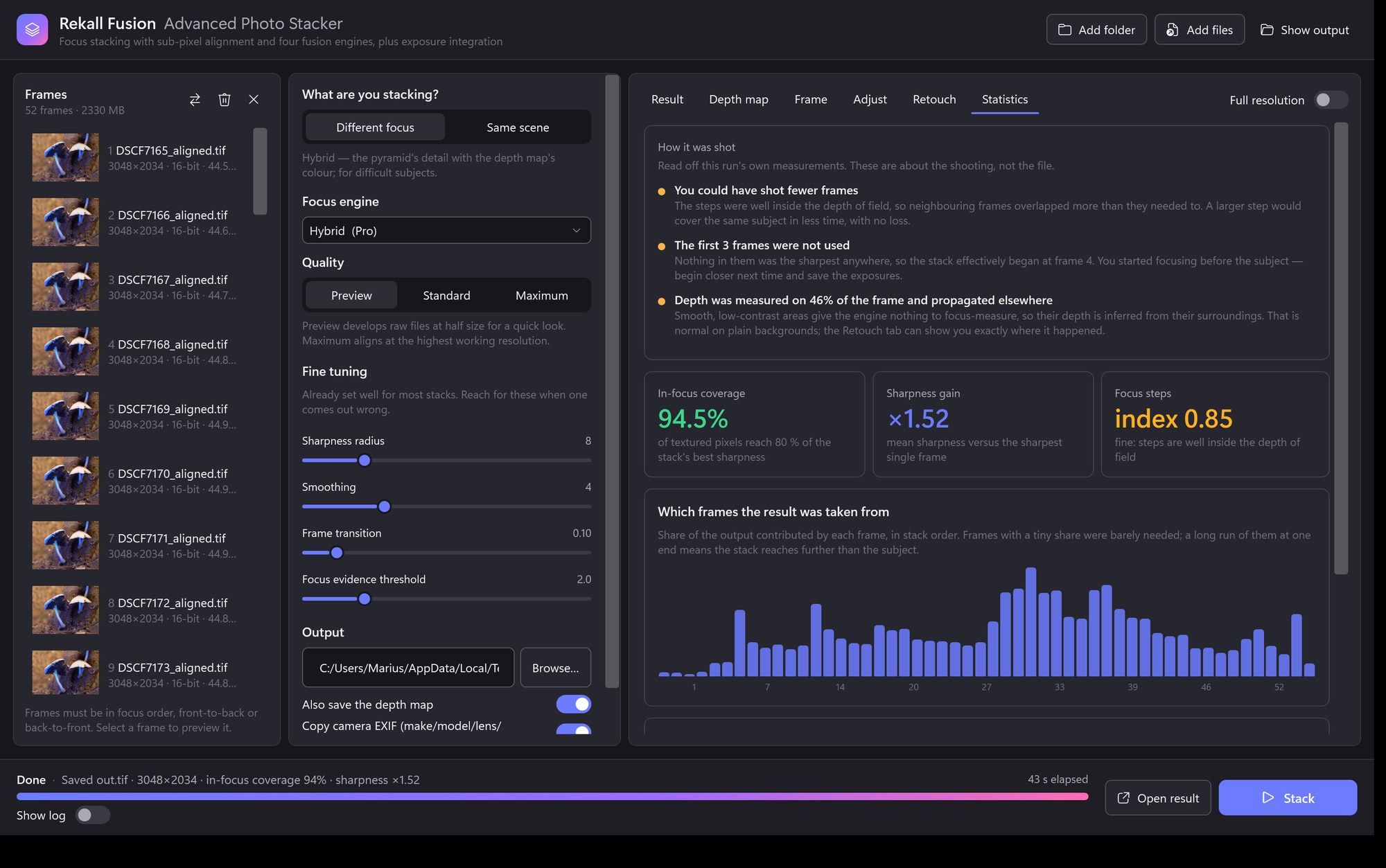
In-focus coverage, sharpness gain, which frames were used, and a verdict on your focus-step size. You learn whether to shoot denser, shallower or wider next time.
Fujifilm, Canon, Nikon, Sony, DNG and more are developed directly, with one white balance for the whole stack so colours never drift. Output is 16-bit TIFF or PNG, or JPEG when you want it small.
Frames stream one at a time, so a hundred-frame stack needs no more memory than a short one. Progress, elapsed and remaining time are always visible, and any run can be cancelled.
Four focus engines
Not sure? Start with the depth map. Switch to the pyramid when fine structures cross each other at different depths, or to hybrid when you want both.
Finds the sharpest frame for every pixel, builds a confidence-weighted depth map, propagates it into textureless areas without crossing edges, and takes each pixel from the frame nearest its depth.
Selects the strongest detail at every scale of a Laplacian pyramid, steered by a depth estimate so noise is not picked from far-away frames. Handles structures a single depth cannot describe.
Luminance detail from the pyramid, colour from the depth map, combined automatically. The pyramid's contrast and colour drift never reach the output while its ability to hold crossing detail does.
Blends the frames by sharpness with a per-pixel normalisation that keeps the noise floor from voting. Smooth and free of halos wherever there is texture.
A second mode
Focus stacking asks “which frame is sharpest at this pixel?”. Sometimes the question is different: you have many frames of one scene at one focus, and you want to combine repeated samples of the same pixel. Rekall Fusion treats that as its own mode, with the combination rules the job actually calls for.
Computes the average and spread of each pixel across the frames, rejects the samples that sit too far out, then recomputes and repeats. What survives is averaged.
Takes the middle sample at every pixel. It survives heavy contamination without any tuning, which is exactly what busy scenes need.
The plain average of every sample. Nothing is rejected, so it gives the best signal-to-noise when the frames are clean.
The application
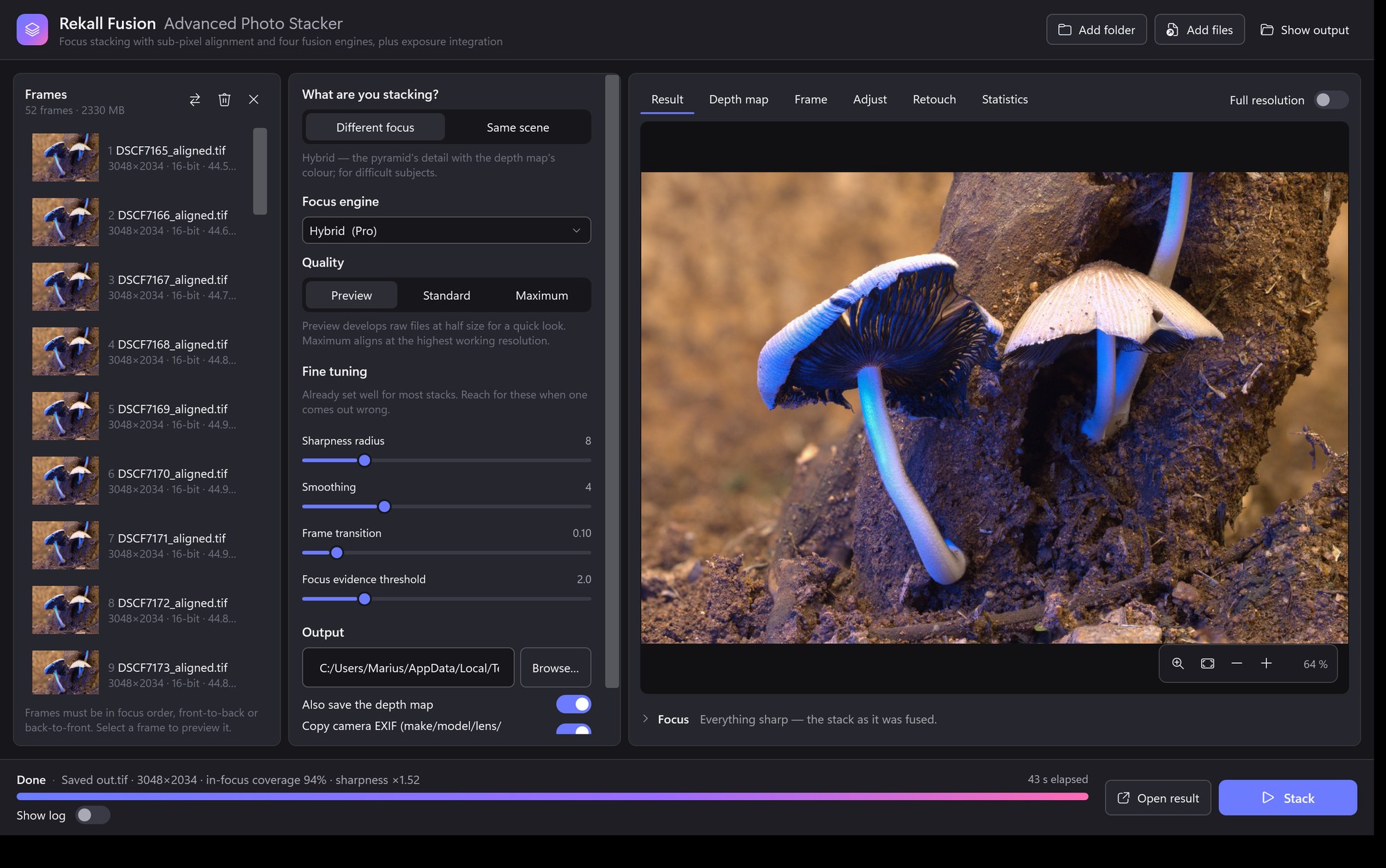
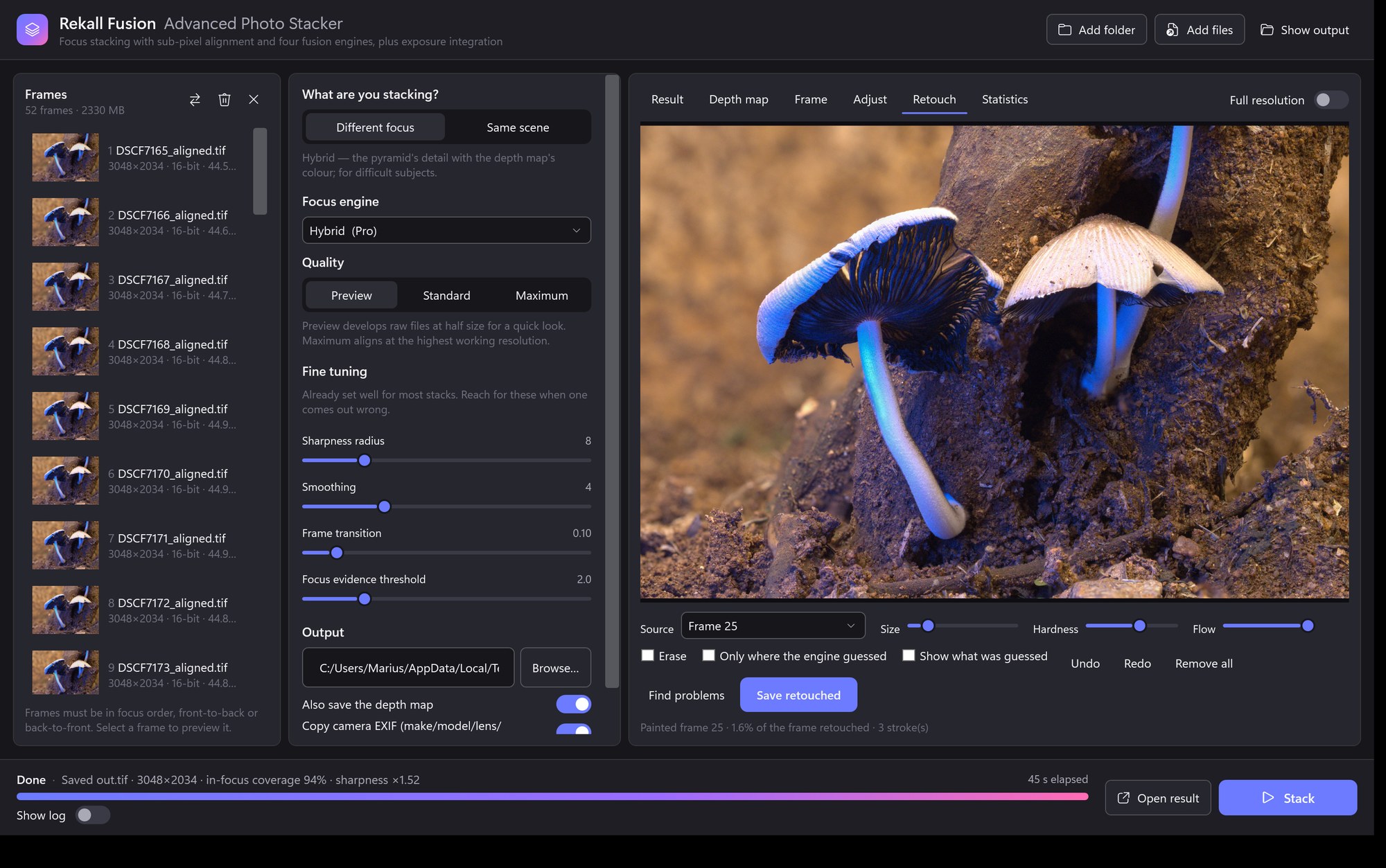
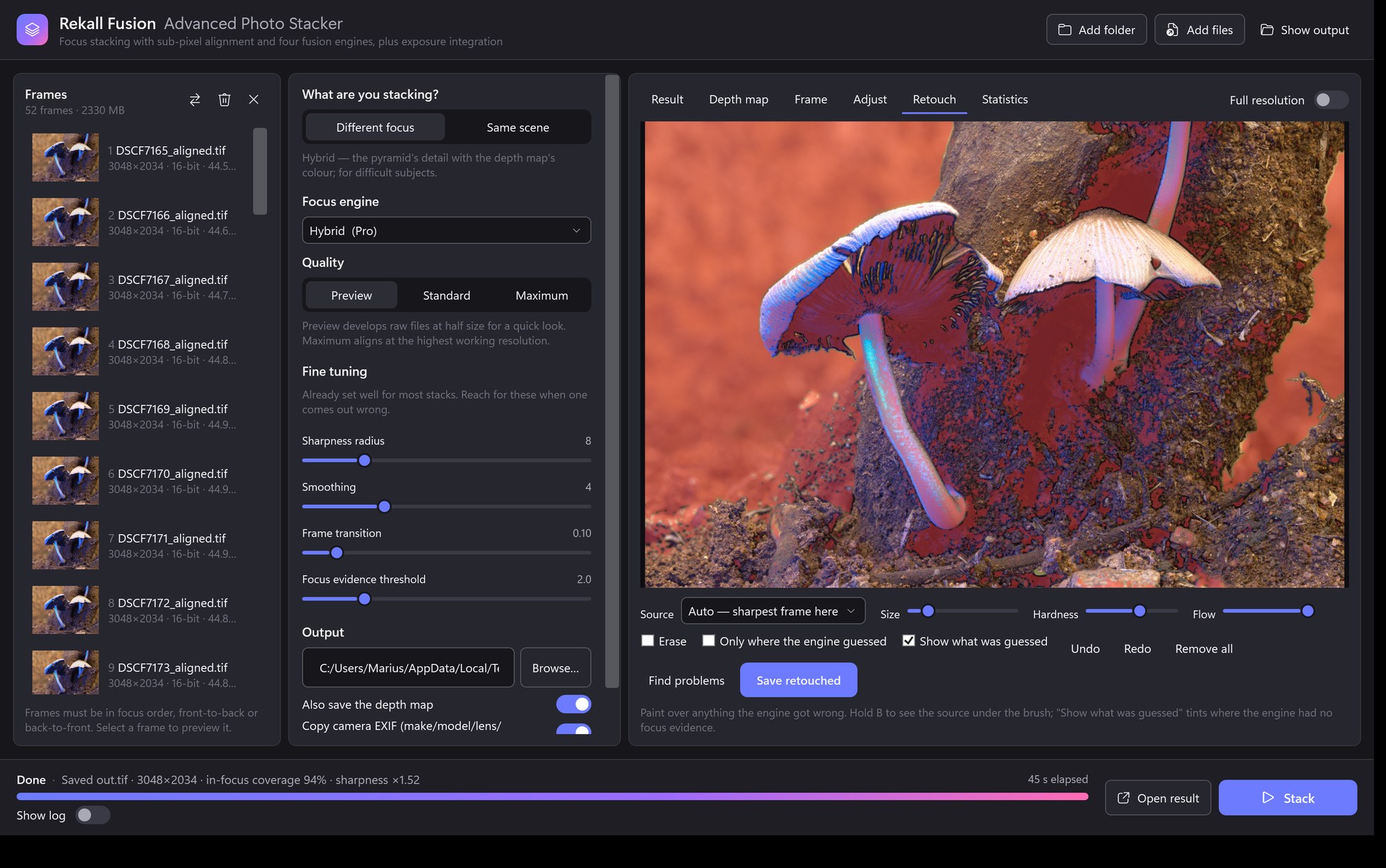
It reads the way the work does, left to right: the frames that go in, the decisions taken about them, then the picture that comes out. Everything advanced lives one click away in a panel where each control explains itself.
Retouching
Four things defeat any automatic rule: halos where a blurred foreground crosses a sharp background, doubled edges from a hair that landed half a pixel out, anything that moved between frames, and two surfaces at different distances landing on the same pixel. You can see the right answer instantly. The algorithm cannot.
Other stackers copy pixels from a source frame onto the finished image and feather the edge, which leaves a patch that has not been through the same compositing as everything around it. A stroke here changes which frame the region comes from, and the area is then blended by the same multi-band compositor that made the rest of the picture.
Hold B and the brush circle fills with the frame you are about to paint in, so choosing between frames is done by looking rather than by picking a number. Auto measures which frame is genuinely sharpest under the cursor — for the common case, a halo where the engine took the blurred neighbour, that is one stroke and no thinking.
The engine knows, per pixel, whether it measured the depth or filled it in from the neighbours. Turn the overlay on and the guessed areas are tinted — on a deep macro stack that can be four fifths of the frame. It costs the result nothing, but it tells you exactly where the map can be trusted.
Save writes the settled image and a small side-car of the strokes beside it. Open the same stack again and the retouching comes back, ready to adjust or remove. Nothing is baked in until you export it.
Under the hood
Every frame is developed to 32-bit floating point colour, raw files with a single white balance for the whole stack.
Neighbouring frames are matched, refined to sub-pixel accuracy and exposure-matched; the chain is composed towards the middle frame.
Sharpness is measured at two granularities: fine detail to decide which frame is sharpest, multi-scale to decide whether there is focus evidence at all.
The chosen engine selects and blends, streaming one frame at a time through a multi-band blender so seams never appear.
The result, its depth map and the statistics of the run are written and shown, with per-pair alignment details for the curious.
Requirements
| System | Windows 10 (1809) or Windows 11, 64-bit |
| Runtime | .NET 10 desktop runtime |
| Memory | 8 GB minimum; 16 GB or more recommended for 40-megapixel stacks. Larger stacks spill to disk automatically. |
| Input | JPEG, PNG, TIFF (8/16-bit), camera raw (RAF, CR2, CR3, NEF, ARW, DNG, ORF, RW2, PEF, SRW and others) |
| Output | TIFF and PNG at 8 or 16 bits, JPEG, plus a 16-bit depth map and optional slabs and contribution masks |
The user guide walks you through the first stack in five minutes, then explains every setting, every statistic, and how to shoot stacks that fuse cleanly.
Watch it work
Fifty-two frames of a coprinellus, shot on a rail and fused end to end — the engines, the result at 100%, the depth map, the retouching brush and the adjustment panel.
Pressing play loads the video from YouTube. Prefer to watch it there? Open it on YouTube.
Pricing
Rekall Fusion runs as a full Pro build for fourteen days. No card, no account, nothing to cancel — you start the trial from inside the app and it simply ends. Buy a licence once you know it earns its place: a year at a time, or a one-off payment that never expires.
Focus stacking, end to end.
For deep stacks and difficult subjects.
fusionstack, the command-line tool, for batch and scripted runsLicences are on sale now. All four options — Standard or Pro, yearly or lifetime — are on the checkout page, so choose yours there rather than here. The fourteen-day trial is the full Pro build and needs no card — download it for Windows and start the trial from inside the app.
Prices in US dollars. A licence activates on up to five computers. Any VAT or sales tax is calculated at checkout for where you live. Payments, invoicing and tax are handled by Lemon Squeezy, our authorised reseller and merchant of record. See the refund policy, terms of service and privacy policy.
Organise your photographs, develop non-destructive edits and find likely focus-stack sets before sending selected originals to Fusion. Photo Studio adds background thumbnails, searchable AI tags and Coastal Monochrome presets to your photographic workflow. It is a separate application and licence.
Explore Photo Studio → Studio-to-Fusion guide →